Choosing accounting software used to be fairly straightforward.
You needed a system to record income, track expenses, create invoices, reconcile bank transactions and prepare financial reports.
In 2026, businesses expect much more.
Accounting software now sits at the center of invoicing, payments, inventory, tax management, reporting, automation and sometimes even the wider customer journey.
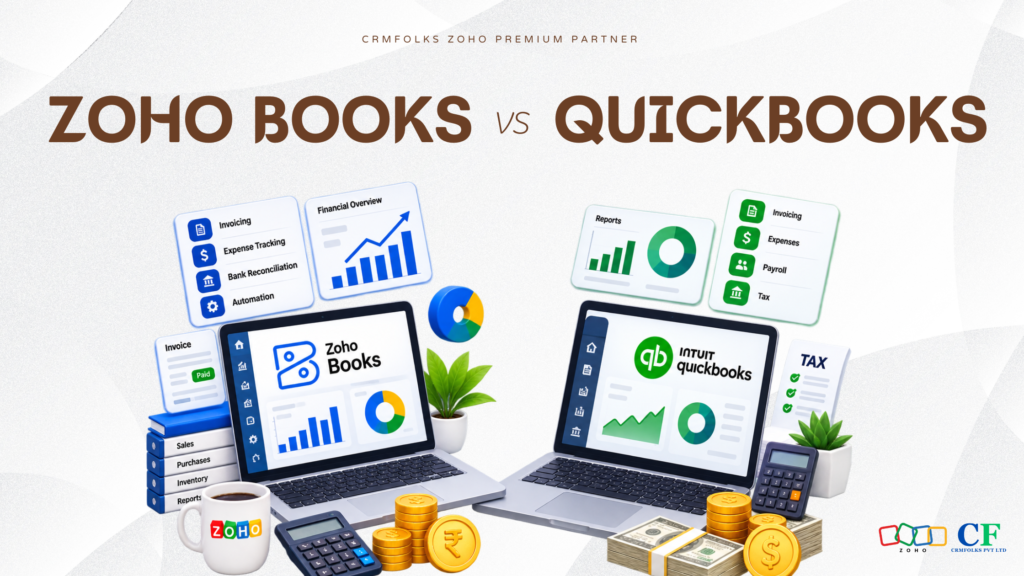
That makes the Zoho Books vs QuickBooks comparison much more interesting.
Both are established cloud accounting software platforms. Both can help businesses manage everyday financial operations. But they approach business finance from slightly different directions.
QuickBooks has built a strong reputation around accounting and bookkeeping.
Zoho Books combines accounting capabilities with the wider Zoho business ecosystem.
So, Zoho Books or QuickBooks, which accounting software is better in 2026?
The answer depends less on which platform has the longest feature list and more on how your business actually operates.
Zoho Books vs QuickBooks, Quick Overview
Zoho Books is cloud-based accounting software developed by Zoho. It helps businesses manage invoices, expenses, banking, sales orders, purchase orders, inventory, projects, taxes, automation and financial reporting.
QuickBooks, developed by Intuit, is one of the best-known accounting platforms for small and growing businesses. QuickBooks Online provides bookkeeping, invoicing, expense tracking, bank reconciliation, reporting, payroll-related capabilities depending on market and plan, and integrations with other business applications.
At a basic level, there is considerable overlap.
The differences become clearer when you look at automation, customization, integrations, inventory requirements, reporting, scalability and the wider technology stack surrounding the accounting system.
Zoho Books vs QuickBooks, Feature Comparison
| Area | Zoho Books | QuickBooks |
| Cloud Accounting | Yes | Yes |
| Invoicing | Yes | Yes |
| Expense Tracking | Yes | Yes |
| Bank Reconciliation | Yes | Yes |
| Financial Reporting | Yes | Yes |
| Workflow Automation | Strong | Available |
| Inventory Capabilities | Available | Available, varies by plan/region |
| Project & Time Tracking | Available | Available |
| Multi-Currency | Available on eligible plans | Available on eligible plans |
| Mobile Access | Yes | Yes |
| Integrations | Strong Zoho ecosystem + external apps | Large third-party ecosystem |
| Customization | Strong | Available |
| Broader Business Ecosystem | Extensive Zoho suite | Primarily accounting-focused ecosystem + integrations |
The table makes them look relatively similar.
But accounting software isn’t selected on a comparison table alone.
Let’s look at where those differences matter in actual business operations.
- Invoicing: Zoho Books vs QuickBooks
For many small businesses, invoicing is where accounting software becomes part of everyday operations.
Both Zoho Books and QuickBooks allow businesses to create professional invoices, manage customers, record payments and track outstanding balances.
Zoho Books provides capabilities around recurring invoices, payment reminders, invoice customization and automated workflows.
QuickBooks also provides strong invoicing capabilities and is particularly familiar to businesses already working with accountants or bookkeepers who use the QuickBooks ecosystem.
The important question isn’t simply:
“Can it create an invoice?”
Almost every modern accounting platform can.
A better question is:
“What needs to happen before and after that invoice is created?”
For example, does the invoice originate from a sales process? Does inventory need updating? Does another department need notification? Does the customer need an automated reminder?
That surrounding workflow can become more important than invoice creation itself.
- Expense Management
Controlling expenses becomes increasingly difficult as a company grows.
Both platforms provide tools for recording and categorizing business expenses.
Businesses can use accounting software to maintain better visibility into where money is being spent rather than relying on disconnected spreadsheets, receipts and manual records.
The real advantage of expense management software isn’t simply storing expenses.
It is having those expenses connected to the company’s wider financial records so management can understand profitability and cash movement more accurately.
- Bank Reconciliation
Bank reconciliation is one of the most important functions of modern small business accounting software.
Both Zoho Books and QuickBooks support bank feeds and reconciliation functionality, subject to banking availability in the relevant market.
This helps businesses compare accounting records against actual banking activity and identify discrepancies.
Automation can reduce manual work considerably, but it doesn’t remove the need for financial oversight.
Incorrect categorization automated at scale is still incorrect categorization.
That’s an important principle for any business introducing accounting automation.
Zoho Books Automation vs QuickBooks Automation
This is where the comparison becomes particularly interesting.
Modern finance teams don’t simply want accounting software.
They want fewer repetitive tasks.
Zoho Books supports workflow rules and automation that can help businesses trigger actions based on defined conditions.
For example, a business might automate:
- Payment reminders
- Customer notifications
- Internal alerts
- Recurring invoices
- Recurring expenses
- Certain approval processes
- Updates based on transaction conditions
QuickBooks also provides automation across various accounting activities, although exact functionality can depend on the product, plan and connected applications being used.
For businesses comparing Zoho Books vs QuickBooks for automation, the question should be:
How complex are the workflows surrounding your finance department?
A small company might only need automated invoices and reminders.
A larger operation might need finance connected with sales, inventory, purchasing, customer management and analytics.
Those are very different requirements.
Zoho Books vs QuickBooks for Inventory Management
Accounting and inventory frequently overlap.
If you sell physical products, every sale affects more than revenue.
It may affect:
Stock → Order → Invoice → Payment → Accounting → Reporting
Zoho Books provides inventory-related capabilities, while businesses with more advanced requirements can also work with Zoho Inventory as part of the broader Zoho environment.
QuickBooks also offers inventory functionality within certain products and plans.
For businesses with straightforward inventory requirements, either approach may be sufficient.
But companies with more complex warehouses, order management, purchasing or inventory workflows should evaluate the complete operational process rather than selecting accounting software based on bookkeeping features alone.
Zoho Books vs QuickBooks for Financial Reporting
Accounting software becomes significantly more valuable when the information inside it helps people make decisions.
Both platforms provide important financial reports, including reports related to:
- Profit and loss
- Balance sheets
- Cash flow
- Receivables
- Payables
- Expenses
- Sales
- Taxes
- Customers
QuickBooks has long been known for accounting reporting.
Zoho Books also provides extensive financial reporting, while businesses using the broader Zoho ecosystem can potentially take their analysis further through tools such as Zoho Analytics.
But there is a distinction worth making.
More reports don’t automatically mean better decisions.
A finance dashboard containing dozens of metrics is useless if nobody knows which numbers require action.
Good financial reporting should answer business questions, not simply display data.
Zoho Books Integration With Zoho CRM
This may be one of the most important considerations for businesses already using Zoho.
Imagine a typical customer journey:
Lead → Opportunity → Customer → Invoice → Payment → Support → Repeat Business
Sales owns the beginning of that journey.
Finance owns another part.
Customer service may own what happens later.
But the customer sees only one company.
When Zoho CRM and Zoho Books are appropriately connected, businesses can reduce the separation between sales and finance information.
That can create better visibility around customers, transactions and business processes.
For companies already using Zoho CRM, Zoho Inventory, Zoho Analytics, Zoho Expense or other Zoho applications, this ecosystem approach can be a major consideration when comparing Zoho Books alternatives.
QuickBooks Integrations, Where QuickBooks Has an Advantage
QuickBooks shouldn’t be underestimated.
Its popularity has created a large ecosystem of accountants, bookkeepers, developers and third-party applications.
For companies already deeply integrated with QuickBooks-based processes, moving simply because another platform offers additional features may create unnecessary disruption.
This is something software comparisons often ignore.
Switching costs matter.
Data migration matters.
Employee familiarity matters.
Existing integrations matter.
Your accountant’s workflow matters.
A theoretically “better” accounting platform can still be the wrong business decision if switching creates more problems than it solves.
Zoho Books Pricing vs QuickBooks Pricing
Pricing is naturally an important part of the Zoho Books vs QuickBooks comparison.
However, comparing only monthly subscription prices can be misleading.
Pricing varies by country, product edition, number of users, features and billing structure, and software companies can change plans over time.
Instead of asking only:
“Which accounting software is cheaper?”
Businesses should calculate the total cost of operating the system.
That could include:
- Software subscription
- Additional users
- Add-ons
- Integrations
- Implementation
- Data migration
- Customization
- Employee training
- Ongoing administration
A platform that costs slightly more per month but removes several manual processes could ultimately cost the business less.
Likewise, paying for advanced features that nobody uses creates no value.
Zoho Books vs QuickBooks for Small Businesses
For a small business choosing its first accounting platform, simplicity matters enormously.
You probably don’t need the system capable of doing the most things.
You need the system that handles your things well.
Consider:
How many invoices do you create?
Do you sell products or services?
Do you manage inventory?
Do employees submit expenses?
Do you work across currencies?
Does your accountant need access?
Do you need CRM integration?
Are repetitive finance tasks consuming significant time?
Will your accounting system need to connect with other departments later?
These answers are more useful than asking the internet for the universally “best accounting software for small business.”
There isn’t one.
Zoho Books vs QuickBooks for Growing Businesses
The decision becomes more complicated as businesses grow.
Accounting stops being isolated from other departments.
Sales wants payment visibility.
Operations needs order information.
Management wants consolidated reports.
Finance needs accurate customer and transaction data.
Inventory needs purchasing information.
This is where businesses should evaluate architecture rather than individual features.
QuickBooks can be a strong choice when accounting is the central requirement and the company benefits from its established ecosystem.
Zoho Books can become particularly compelling when the organization wants finance to operate within a broader connected business environment.
When Does Zoho Books Make More Sense?
Zoho Books may be worth considering when:
- Your business already uses other Zoho applications.
- You want accounting closely connected with CRM or other operations.
- Workflow automation is important.
- You want extensive customization possibilities.
- You want finance to operate within a broader business software ecosystem.
- You are looking for a QuickBooks alternative.
That doesn’t automatically make Zoho Books the better product.
It makes it potentially better for that particular business environment.
When Does QuickBooks Make More Sense?
QuickBooks may make more sense when:
- Your existing accounting processes already revolve around QuickBooks.
- Your accountant or bookkeeper strongly prefers the platform.
- Your required third-party applications already integrate effectively with QuickBooks.
- Your primary requirement is established accounting and bookkeeping functionality.
- Changing systems would create more operational cost than benefit.
Again, software decisions should reflect business reality rather than feature-count competitions.
Migrating From QuickBooks to Zoho Books
Businesses considering a QuickBooks to Zoho Books migration should avoid treating migration as a simple export-and-import exercise.
Before migrating, review:
- Customer and vendor records
- Chart of accounts
- Opening balances
- Outstanding invoices and bills
- Products and services
- Tax configurations
- Historical transactions
- Duplicate or outdated records
- Required reports
- Existing integrations and workflows
Migration is also an opportunity to clean financial data.
Moving ten years of unnecessary, duplicated or inconsistent information into a new accounting system doesn’t make the new system better.
It simply gives an old data problem a new home.
Zoho Books vs QuickBooks, Which Is Better in 2026?
So, which wins?
QuickBooks is not automatically better because it is widely used.
And Zoho Books is not automatically better because it connects with a larger Zoho ecosystem.
The better accounting software is the one that fits the way your company handles money, customers, operations and data.
For a business primarily looking for established accounting and bookkeeping functionality with a broad external ecosystem, QuickBooks remains a strong option.
For a business looking for cloud accounting software that can connect finance with CRM, inventory, expenses, analytics and other operational processes, Zoho Books deserves serious consideration.
The difference becomes even more important as companies grow.
Because eventually the question stops being:
“Which accounting software has more features?”
It becomes:
“Which accounting system fits the business we’re building?”
Before You Choose
If you’re currently comparing Zoho Books and QuickBooks, don’t begin with a product demo.
Map one real financial process first — from the moment a customer agrees to buy until the payment appears in your reports.
Write down every manual entry, spreadsheet, approval, application and handoff involved.
Then evaluate both platforms against that workflow.
You may discover that the deciding factor isn’t a feature listed on either company’s website.
It is the amount of friction the right system can remove from the way your business already works.
If you’ve used Zoho Books or QuickBooks, what mattered most in your decision — accounting features, cost, integrations, automation, or simply what your team was comfortable using?