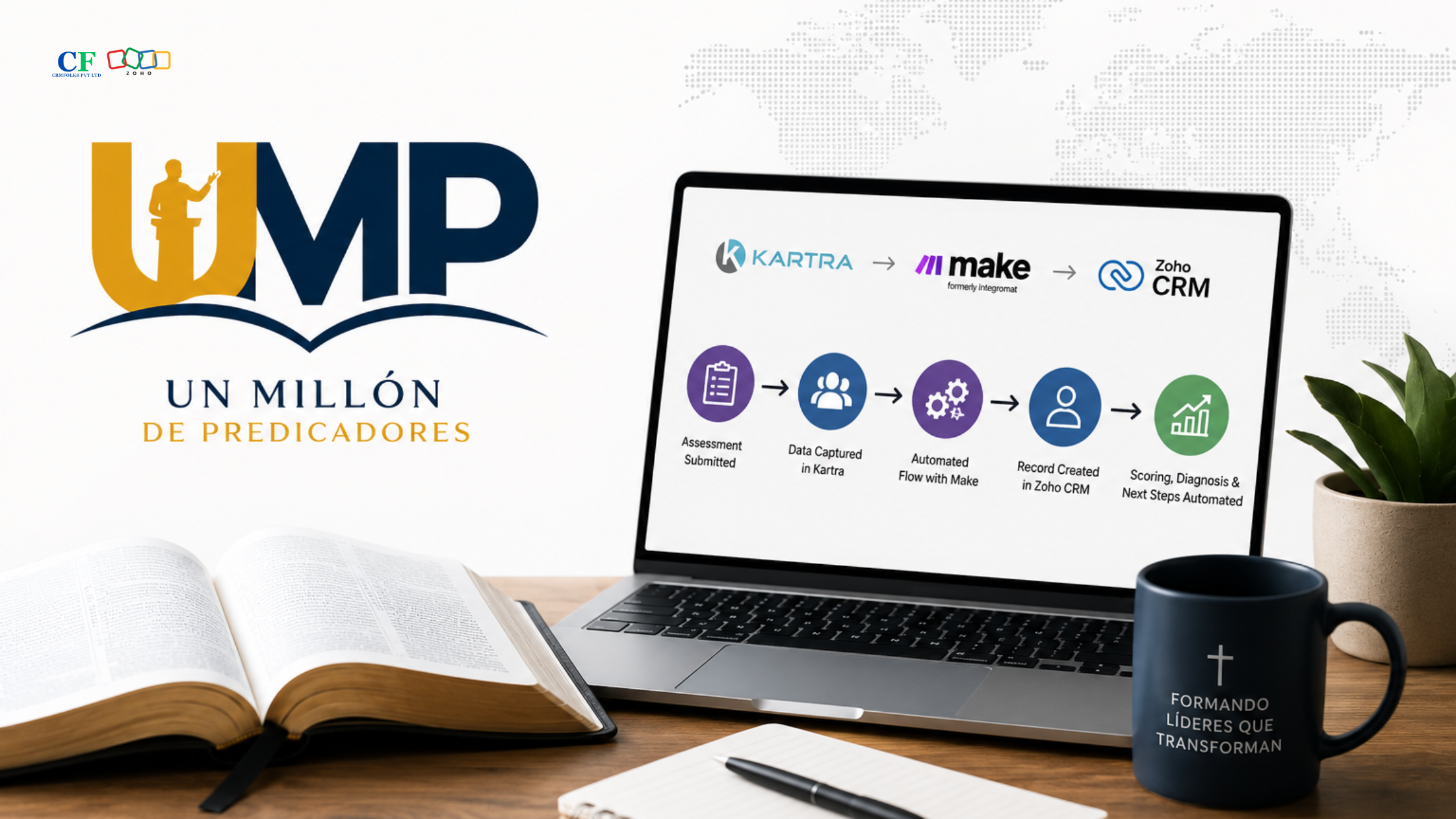
Overview
Un Millón de Predicadores (UMP) operates a digital ministry platform serving pastors and churches through an online diagnostic and pastoral development journey.
The process begins with an intake journey on the UMP website and continues through a detailed 32-question Assessment designed to evaluate churches and provide a corresponding Diagnostic Level, recommendations, and next steps.
UMP approached CRMFolks to expand and automate this connected customer journey across Kartra, Zoho CRM, Make.com, Stripe, and Zoho Creator. The goal was to centralize pastor, church, assessment, Plan, License, kit, donation, and Portal information while creating a structured journey from assessment and recommendation through Plan activation, kit validation, and Church Portal access.
Project Overview
The UMP implementation brought together multiple platforms that previously formed different stages of the customer journey.
The project focused on creating a connected process where customer information could move between the assessment experience, CRM, payment processing, Plan and License workflows, and Church Portal.
The implementation included:
The technology architecture connects Kartra, Make.com, Zoho CRM, Stripe, and Zoho Creator, with Zoho CRM serving as the central business and customer data platform.
Project Objectives
The project focused on:
Core Challenges
Business Challenges
Fragmented Customer Journey
The UMP customer journey spans assessment, recommendation, payment, kit validation, Plan activation, licensing, and Portal access.
Without a connected process, each stage can create additional handoffs and opportunities for information to become disconnected.
The implementation therefore needed to connect these stages into a single customer journey.
Existing Kit Validation
Customers who already owned an UMP kit required a different process from customers purchasing a new kit.
UMP needed a way to verify the submitted Order or Reference Number before allowing the downstream Plan and License process to continue.
Plan & License Dependencies
The assessment recommendation itself should not automatically activate a Plan or License.
The implementation needed to distinguish between a recommendation and an actual Plan activation following purchase or appropriate validation.
Payment Integration
Plan and kit purchases needed to connect payment information with CRM records and trigger the appropriate downstream processes.
Church Portal Activation
The final stage of the customer journey required the creation and activation of a Portal User and the delivery of Church Portal access information.
This made the Portal activation process an important dependency in the overall customer experience.
Data Synchronization
Relevant information maintained in Zoho CRM needed to be available within Zoho Creator for the Church Portal experience.
The solution therefore required structured synchronization of records, relationships, fields, and activation information.
CRMFolks Solution
CRMFolks implemented a connected architecture using Kartra, Make.com, Zoho CRM, Stripe, and Zoho Creator.
The solution covered:
Make.com serves as the integration and automation layer, while Zoho CRM centralizes the business data and Zoho Creator provides the Church Portal environment.
Diagnostic Assessment Automation
The UMP customer journey begins with a 32-question diagnostic assessment.
The workflow is:
UMP Website
↓
Pre-Diagnóstico
↓
32-Question Assessment
↓
Assessment Scoring
↓
Diagnostic Level
↓
Diagnostic Results
↓
Recommended Ministry Route
↓
Church Plan
Assessment information is transferred into Zoho CRM through Make.com.
The CRM maintains:
Assessment records are maintained in the Evaluaciones module and connected with the relevant Contact and Church records.
Pre-Diagnóstico & Lead Retention
A separate Pre-Diagnóstico process captures users who begin the diagnostic journey but may not complete the full assessment.
The process captures the user’s:
Email is used as the matching identifier between the Pre-Diagnóstico and Assessment journeys, with validation and duplicate checking applied to support cleaner data management.
This provides UMP with a mechanism to retain users who enter the diagnostic journey before completing the full assessment.
Centralized Zoho CRM Architecture
Zoho CRM was structured to centralize the UMP customer journey.
The implementation includes dedicated modules for:
Contactos
Stores pastor and contact information.
Iglesias
Stores church information and its relationship with the pastor/contact.
Evaluaciones
Stores diagnostic assessment information.
Pre-Diagnóstico
Stores users who begin the diagnostic journey.
Kit Owned
Manages customers who indicate that they already own the required implementation kit.
Planes
Stores selected and activated Plans.
Pedidos / Orders
Tracks relevant kit and Plan orders.
Licencias
Tracks licenses associated with churches and Plans.
Donations
Provides a separate structure for managing donation transactions.
These CRM relationships connect the customer journey from assessment through church, Plan, order, License, and Portal activation.
Duplicate Prevention & Data Mapping
Make.com processes information received from Kartra and maps it into Zoho CRM.
The integration includes duplicate checking and record linking so that existing Pastor/Contact and Church records can be reused instead of unnecessarily creating duplicate records.
The relationships maintained include:
Contacto → Iglesia → Evaluación → Plan → Pedido → Licencia
This provides a connected data structure across the customer journey.
Diagnostic Results Email Automation
After completing the assessment, the customer receives the UMP Diagnostic Results email.
The email provides:
The intended communication flow is:
Assessment Completed
↓
Diagnostic Results Email
↓
Recommended Ministry Route
↓
Church Plan
The implementation also separates the UMP Diagnostic Results communication from the Kartra confirmation email.
The redundant “Evaluación recibida correctamente” email is generated within Kartra rather than Zoho/Make.com, and its removal is intended to prevent duplicate communication from interrupting the customer journey.
Plan & License Automation
The implementation separates the assessment recommendation from actual Plan activation.
The process is:
Assessment
↓
Diagnostic Result
↓
Recommended Plan
↓
Pastor Selects Plan
↓
Payment / Validation
↓
Plan Activation
↓
Order Creation
↓
License Creation
↓
Portal User Creation
↓
Church Portal Access
This ensures that an assessment recommendation does not automatically activate a Plan or License.
Existing Kit Validation & Approval
A dedicated Kit Owned workflow was implemented for customers who already have their required UMP kit.
When the customer selects:
“I already have my kit”
and submits the required information, including the Order or Reference Number, the system creates a Kit Owned record with a Pending status.
The UMP team then:
Only after approval does the downstream automation create:
Plan → License → Portal User → Portal Access
The manual approval is an intentional validation step designed to ensure that the customer actually owns a valid kit before receiving the associated Plan and License.
Automated Existing Kit Journey
After Kit Owned approval, the remaining journey proceeds through the automated workflow:
Kit Owned Approved
↓
Plan Created
↓
License Created
↓
Portal User Created
↓
Portal User Activated
↓
Portal Access Email
↓
Pastor Sets Password
↓
Church Portal
The only intentional manual action is the UMP-side validation and approval of the existing kit.
Normal Plan Purchase Workflow
Customers who purchase a Plan directly follow an automated journey without the Kit Owned approval step.
The process is:
Assessment Completed
↓
Diagnostic Results
↓
Recommended Ministry Route
↓
Plan Selection
↓
Payment
↓
Plan Activated
↓
Order Created
↓
License Created
↓
Portal User Created / Activated
↓
Church Portal Access Email
↓
Pastor Sets Password
↓
Church Portal
Because the purchase transaction provides the required validation, a manual Kit Owned approval is not required for this journey.
Stripe Payment Integration
Stripe was integrated into the Plan and Kit purchase workflows.
The payment architecture connects:
Stripe Payment
↓
Make.com
↓
Zoho CRM
↓
Plan / Order / License
↓
Plan Activation
The implementation also supports Base Kit purchase options and connects successful kit purchases with downstream CRM automation.
Base Plan Kit Workflow
The Base Plan includes a decision point based on whether the customer already owns the required kit.
Existing Kit
Already Have Kit
↓
Kit Owned Record
↓
Pending Validation
↓
UMP Verification
↓
Kit Approval
↓
Plan Created
↓
License Created
↓
Portal User
↓
Church Portal
New Kit Purchase
Need Kit
↓
Kit Selection
↓
Stripe Payment
↓
Make.com
↓
Zoho CRM
↓
Plan
↓
Order
↓
License
↓
Base Plan Activated
↓
Portal
The customer-facing journey handles the decision and branching, while Make.com manages the backend integration and automation.
Zoho Creator & Church Portal Integration
Zoho Creator was implemented as the Church Portal layer.
CRM-to-Creator synchronization covers:
The synchronization for Kit Owned, Planes, and Licencia was completed and tested.
CRM → Zoho Creator Synchronization
The CRM-to-Creator integration was completed and tested for:
The synchronization was validated for:
This allows relevant business information maintained in Zoho CRM to be synchronized with the Church Portal environment.
Portal User Creation & Activation
Portal User creation is designed to proceed automatically once the required Plan and License conditions are satisfied.
The intended flow is:
Plan Activated
↓
License Created
↓
Portal User Created
↓
Portal User Activated
↓
Portal Access Email
↓
Pastor Sets Password
↓
Church Portal Login
No manual Portal User assignment is intended as part of the normal customer journey.
Church Portal Access
The final activation journey is:
Plan Activated
↓
License Created
↓
Portal User Created
↓
Portal User Activated
↓
Portal Access Email Sent
↓
Pastor Creates/Sets Password
↓
Pastor Logs In
↓
Church Portal
The Portal Access email provides the pastor with the required instructions for accessing and setting up their Church Portal account.
Donations Module & Automation
A separate Donations module was implemented to manage donation transactions independently from the Plan, Kit, License, and Portal workflows.
Donation information includes:
The donation workflow is:
Donation Payment
↓
Stripe
↓
Make.com
↓
Zoho CRM
↓
Donation Record
The Donations process remains separate from Church Plan, Kit, License, and Portal activation.
Customer Journey & Email Automation
The implementation connects customer communication with key stages of the UMP process.
For the Existing Kit journey, the sequence includes:
Existing Kit Submitted
↓
Pending Validation
↓
Kit Approved
↓
Kit Approval Email
↓
Plan Created
↓
License Created
↓
Church Process Completed
↓
Church Email
↓
Portal Setup
↓
Portal Access Email
The Kit Approval email is triggered after Kit Owned approval, while the Portal Access email is intended to trigger once the required Plan, License, and Portal User conditions are completed.
End-to-End Existing Kit Journey
The complete journey brings the assessment, CRM, validation, automation, Creator synchronization, and Church Portal together:
UMP Website
↓
Diagnostic
↓
Recommended Ministry Route
↓
“I Already Have My Kit”
↓
Kit Owned Form
↓
Kit Owned = Pending
↓
UMP Verifies Order / Reference
↓
Correct Kit Selected
↓
Kit Owned Approved
↓
Plan Created
↓
License Created
↓
Zoho Creator Synchronization
↓
Portal User Created
↓
Portal User Activated
↓
Portal Access Email
↓
Pastor Sets Password
↓
Church Portal Login
This creates a controlled validation point while automating the downstream Plan, License, and Portal processes.
End-to-End Purchased Plan Journey
For customers purchasing a Plan, the complete journey is:
UMP Website
↓
Diagnostic
↓
Diagnostic Results
↓
Recommended Ministry Route
↓
Plan Selection
↓
Stripe Payment
↓
Make.com
↓
Zoho CRM
↓
Plan Created / Activated
↓
Order Created
↓
License Created
↓
Zoho Creator
↓
Portal User Created / Activated
↓
Portal Access Email
↓
Pastor Sets Password
↓
Church Portal Login
End-to-End Testing
The Existing Kit journey has been tested through the following stages:
Kit Owned Submission
↓
Pending Validation
↓
UMP Approval
↓
Plan Creation
↓
License Creation
↓
Portal User Creation
The automation successfully progressed through the Plan and License stages.
The latest implementation documentation notes that the final Portal User/Portal Access stage requires an available Zoho Creator Portal User slot for the additional test user.
Business Outcomes
The implementation established a connected digital foundation for the UMP customer journey.
Key outcomes include:
The implementation creates a connected process from the initial diagnostic experience through the Plan, License, and Church Portal stages.
Project Technology Stack
| Application / Technology | Role in the Project |
| Kartra | Customer-facing forms, assessment journey and front-end experience |
| Make.com | Webhooks, integrations, data mapping and automation |
| Zoho CRM | Centralized CRM and business process management |
| Stripe | Plan, kit and payment processing |
| Zoho Creator | Church Portal, Portal Users and portal-side records |
| Church Portal | Pastor and church access after activation |
Conclusion
The UMP implementation demonstrates how multiple platforms can be connected to create a structured digital customer journey for pastors and churches.
By combining Kartra, Make.com, Zoho CRM, Stripe, and Zoho Creator, the implementation connects assessment, recommendations, payments, kit validation, Plan activation, licensing, Portal User management, donations, and Church Portal access within a coordinated architecture.
A key part of the implementation is the distinction between customers purchasing a new kit and customers who already own one. Existing-kit customers go through an intentional UMP validation and approval process, while customers purchasing a Plan can proceed through the automated purchase journey.
The resulting architecture provides UMP with a centralized CRM foundation, automated business processes, connected payment and portal workflows, and a scalable framework for managing the customer journey from assessment through Church Portal access.
Ready to Automate Your Business?
Transform disconnected processes into connected, automated workflows with CRMFolks.
Explore how CRMFolks can help your organization with Zoho CRM implementation, Zoho Creator development, integrations, workflow automation, and digital transformation.
Join 100+ companies using CRMFolks to streamline their operations with Zoho. Free consultation, no commitment.